

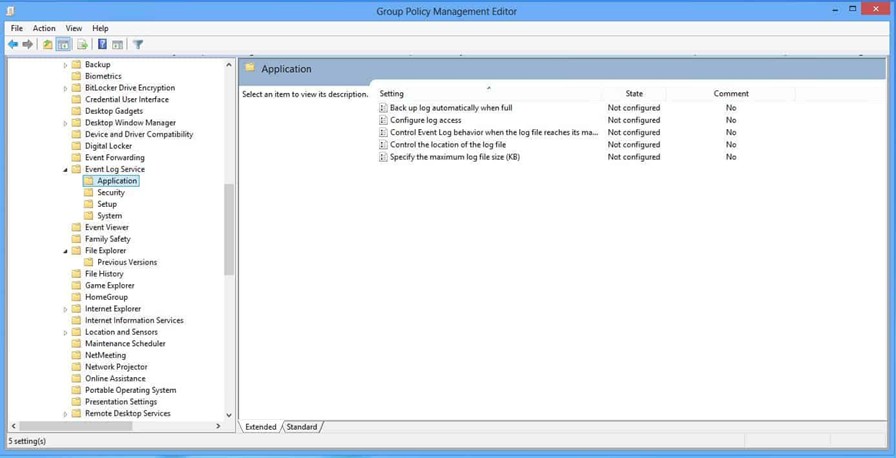
Years ago, if you wanted to configure Windows Event Logs for things like maximum log size or retention behavior, you typically did that in Security Settings. Starting with Windows 8, Microsoft added a new Administrative Template that added new Administrative Template policies to the following path:
Computer Configuration\Administrative Templates\Windows Components\Event Log Service
Here is what the path looked like back in 2012, using Group Policy Editor:
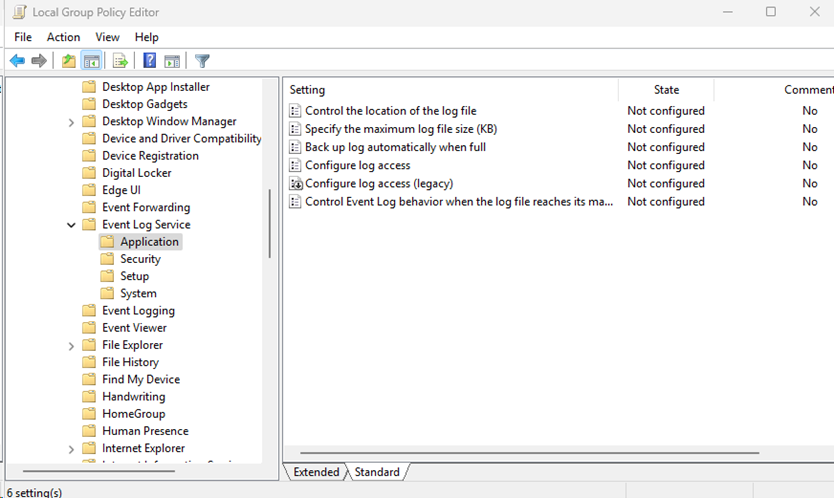
As you can see, it hasn’t changed much in Windows Server 2025:
Understanding Overlapping Event Log Policies
I find that I am just as curious about these Admin Template settings as I was back then, since some overlap with the Security Settings controls, and others are unique. For example, if you set the maximum log size in both areas, which one wins? Let’s address the issue from a modern perspective.
The Security Settings policies are legacy Client Side Extension (CSE)–based security policy settings, while the Administrative Template settings are modern registry-based ADMX policies. When both are in play, Administrative Templates win. They run later in the policy processing cycle and write directly to the registry locations that Windows uses to enforce the setting.
Another interesting distinction is that the two policy areas do not expose identical functionality. For example, the older Security Settings area supports configuring overwrite behavior based on days, while the Administrative Template area instead exposes controls related to retention and auto-backup behavior.
Seeking more insights on how to better manage your Windows configurations?
Modern Approaches to Event Log Configuration
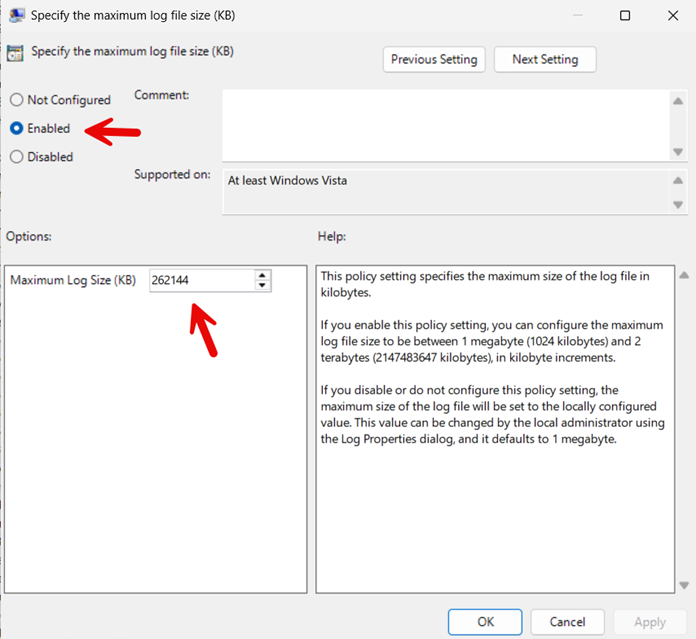
These days, the above scenario is less of an issue as most organizations have fully transitioned to Windows 11/Server 2016 at the very least. Let’s see what configuring the maximum size for the Application Event Log using Group Policy would look like today:
If you use Microsoft Intune to configure the maximum size of the Application Event Log, you could do so through the Settings Catalog as shown below:
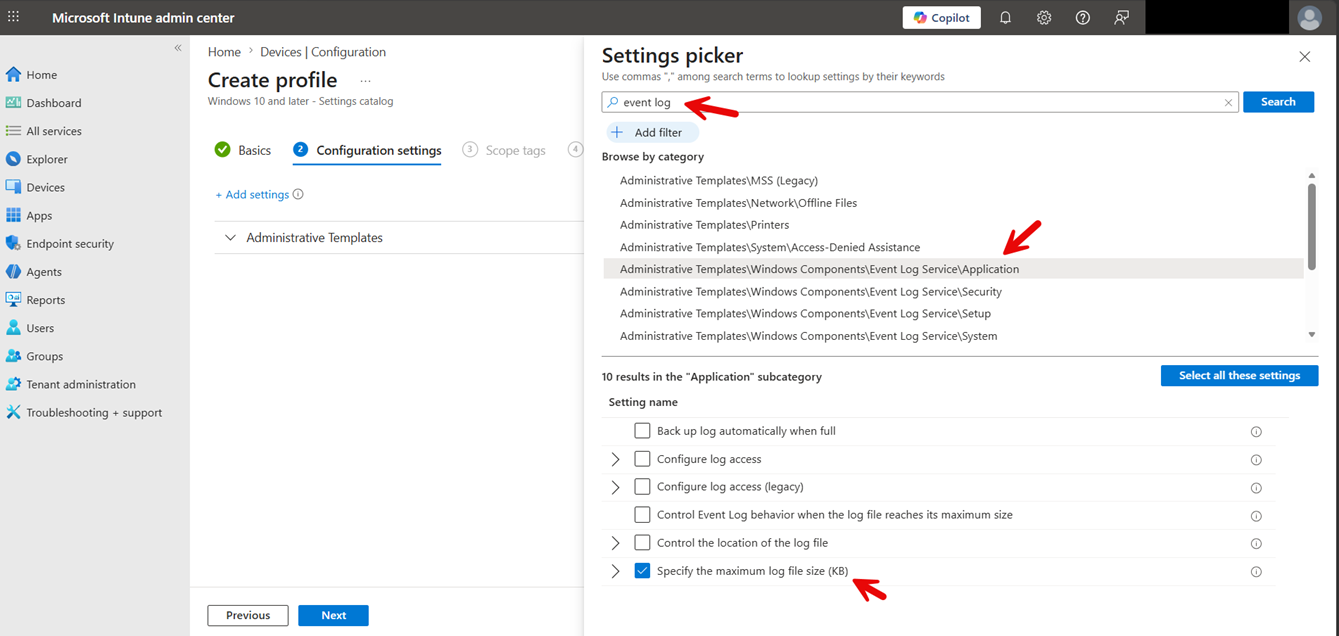
You could also use a custom OMA-URI policy in Intune as well:
OMA-URI:
./Device/Vendor/MSFT/Policy/Config/EventLogService/Application/MaxSize
Data type:
Integer
Value:
268435456
Talk to the Configuration Expert
"*" indicates required fields