




Group Policy Reporting Pak
Spot configuration inconsistencies and gaps to keep your Group Policy environment secure and predictable
GP Reporting Pak is a powerful analysis and reporting tool that provides instant visibility into configuration inconsistencies, including duplicate and conflicting GPO settings, helping you maintain a cleaner, more secure Group Policy environment. It automates inventory and delivers nearly 40 built-in reports on health, security, best practices, and cleanup opportunities. Domain-wide and OU-level analysis visualizes applied settings, detects duplicates, and pinpoints conflicts. Scheduled reports’ delivery and side-by-side GPO comparison help you make fast, yet informed, decisions and avoid configuration sprawl. Once you have the insight you need, act on it to consolidate and clean up your Group Policy and Intune environment with GPO Migrator and get ready for migration to Intune if necessary.
Whether you manage Active Directory only or are getting ready for migration to Intune, GP Reporting Pak empowers you to:

Replace manual configuration analysis
with a repeatable, auditable workflow that streamlines GPO consolidation and cleanup.

Strengthen security and compliance
with regular, actionable health and best-practice reports across domains and OUs.

Reduce migration risk
and avoid operational disruption by identifying duplicates and conflicting settings before migrating to Intune.

Save time
by quickly finding specific settings across all GPOs and generating targeted reports without manually reviewing each policy.
Your Title Goes Here
Your Title Goes Here
Recommended Solutions
If you are interested in Group Policy Reporting Pak, do you also…




FAQ
What is GP Reporting Pak?
GP Reporting Pak is a Group Policy reporting and analysis tool that inventories GPOs, runs nearly 40 built-in reports, performs domain-wide and OU-level analysis, and compares GPO settings to help with configuration cleanup and migration to Intune.
Can GP Reporting Pak help with an Intune migration?
Yes. Reporting Pak uncovers duplicates, conflicts, and unused settings so you can plan a cleaner, lower-risk migration to Intune and modern device management.
Can I compare different GPOs with GP Reporting Pak?
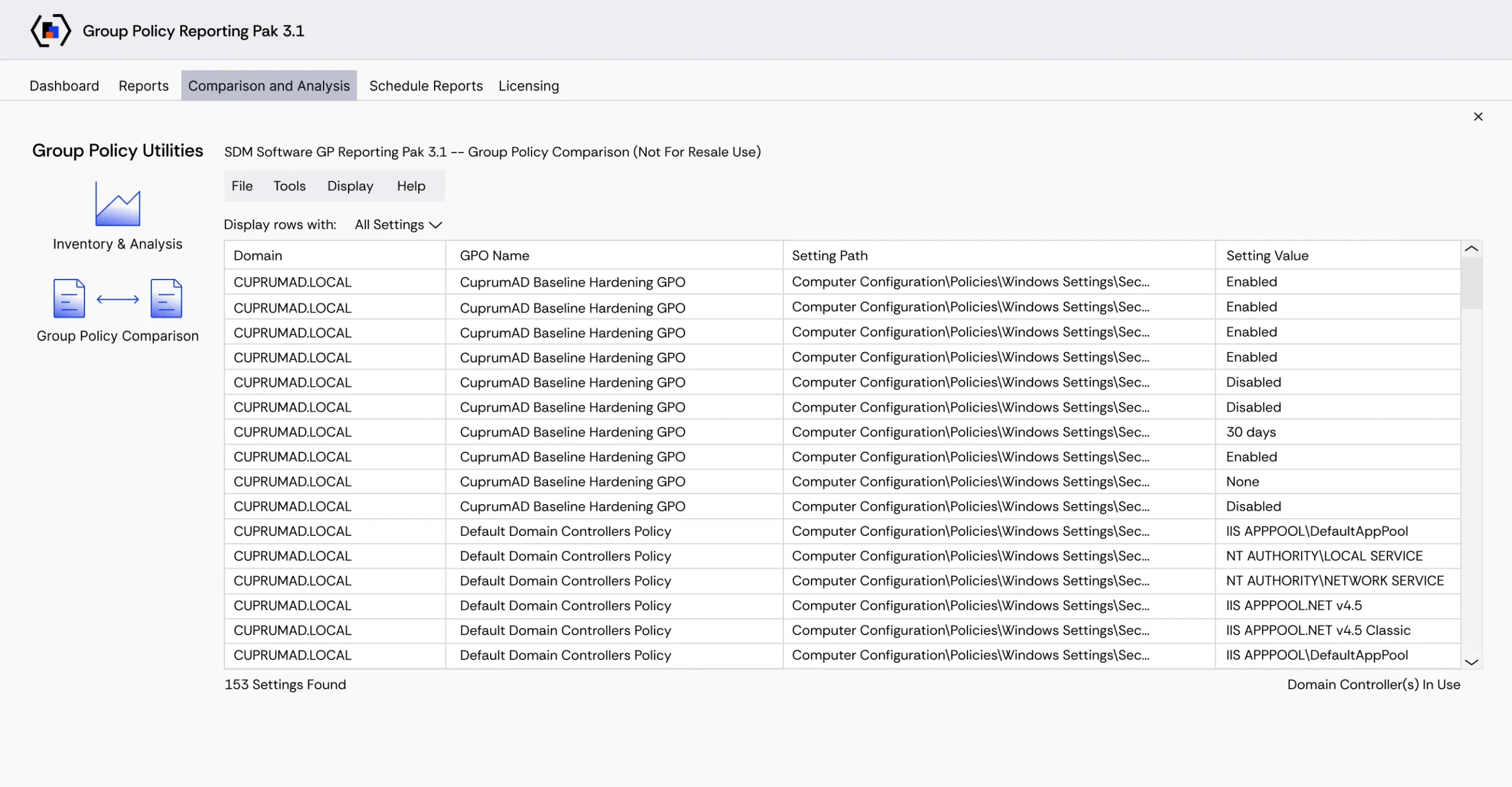
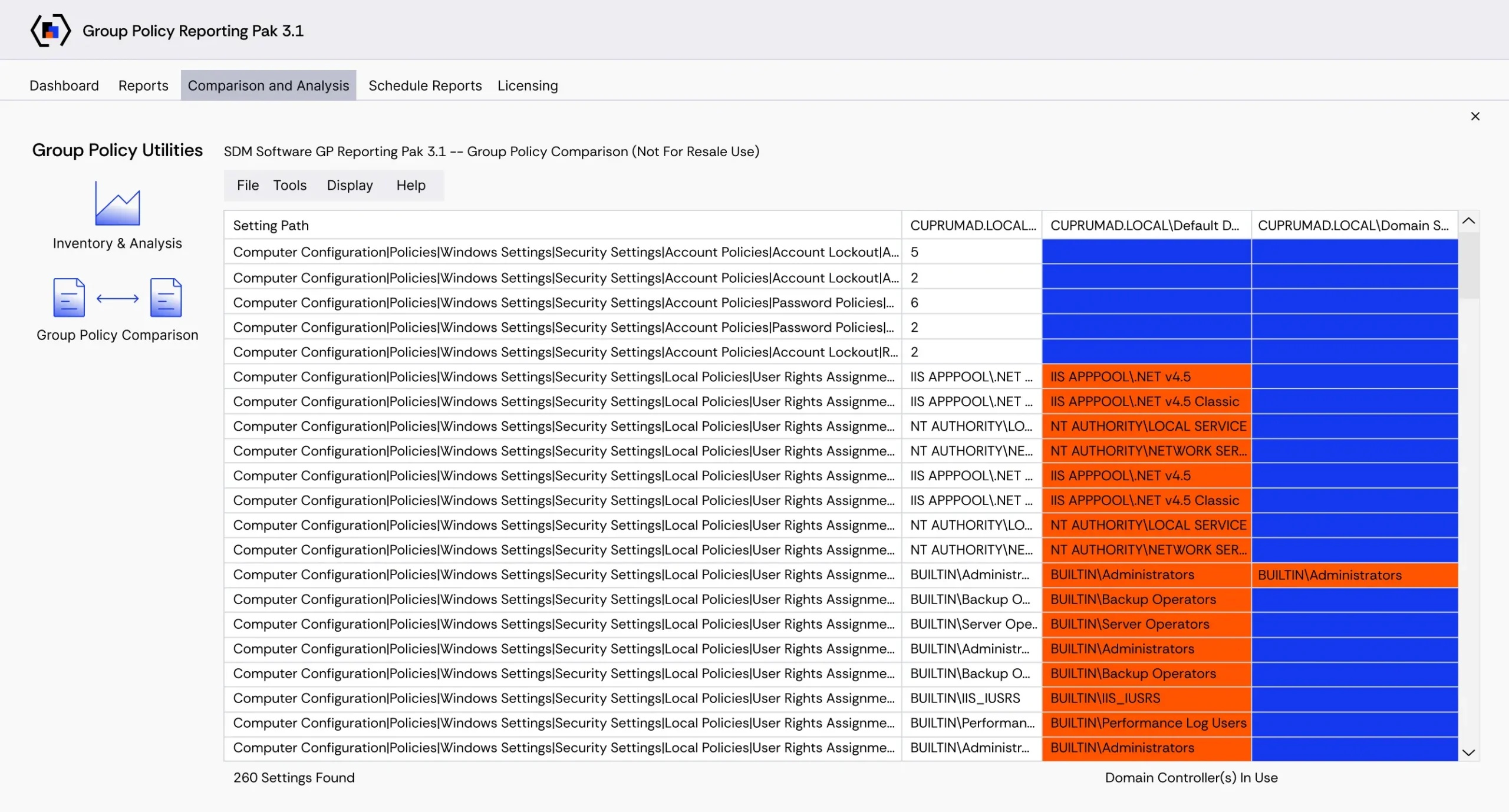
Yes, you can compare up to four GPOs and GPO backups side by side to spot differences and duplications more easily.
Which Windows and Windows Server versions are supported?
Reporting Pak supports settings for Windows 10 and 11 and Windows Server 2016, 2019, 2022, and 2025.
Can I schedule reports and export results?
Yes. Any built-in report can be scheduled for email delivery daily, weekly, or monthly, and reports or exported settings can be saved to Excel for further analysis.
How can I leverage information from the GP Reporting Pak reports?
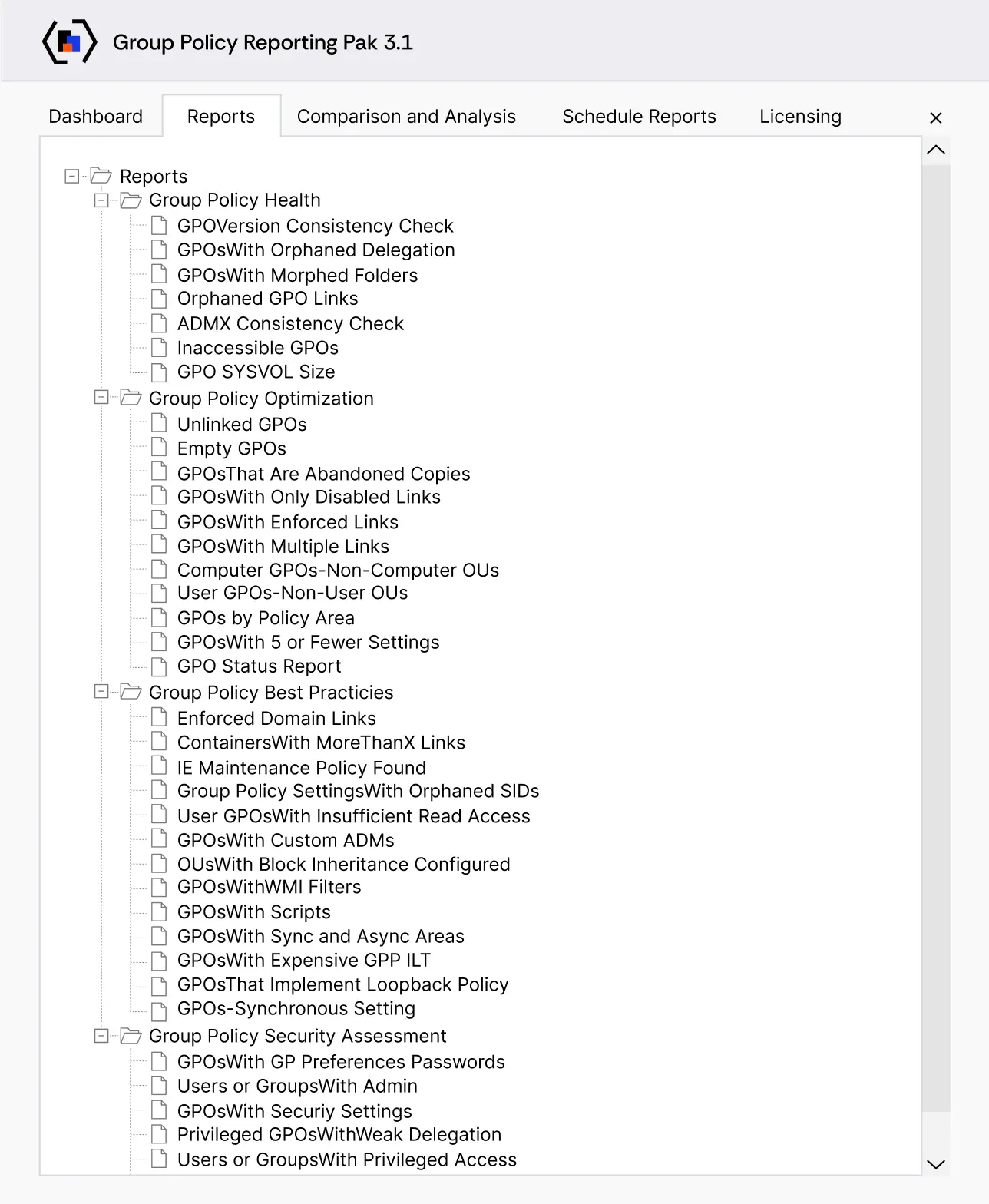
Reports surface best practices, GP health issues, optimization opportunities, and security problems in your GP environment. These actionable insights help you plan configuration consolidation and cleanup to improve operational and security resilience.
How do I ensure the configuration state remains optimized and that new changes do not lead to the GPO sprawl?
Indeed, uncontrolled or accidental GPO changes or modifications to GPO linking can cause operational outages and affect user productivity. Tight change control addresses these risks by ensuring that changes are reviewed, approved, and deployed by the authorized staff. Change Manager for Group Policy/Intune provides role-based change control for GPOs, AD containers, and Intune profiles, with creators, editors, approvers, deployers, and auditors via a lightweight, web-based platform.
What are the main features of GP Reporting Pak by SDM Software?
GP Reporting Pak has the following features:
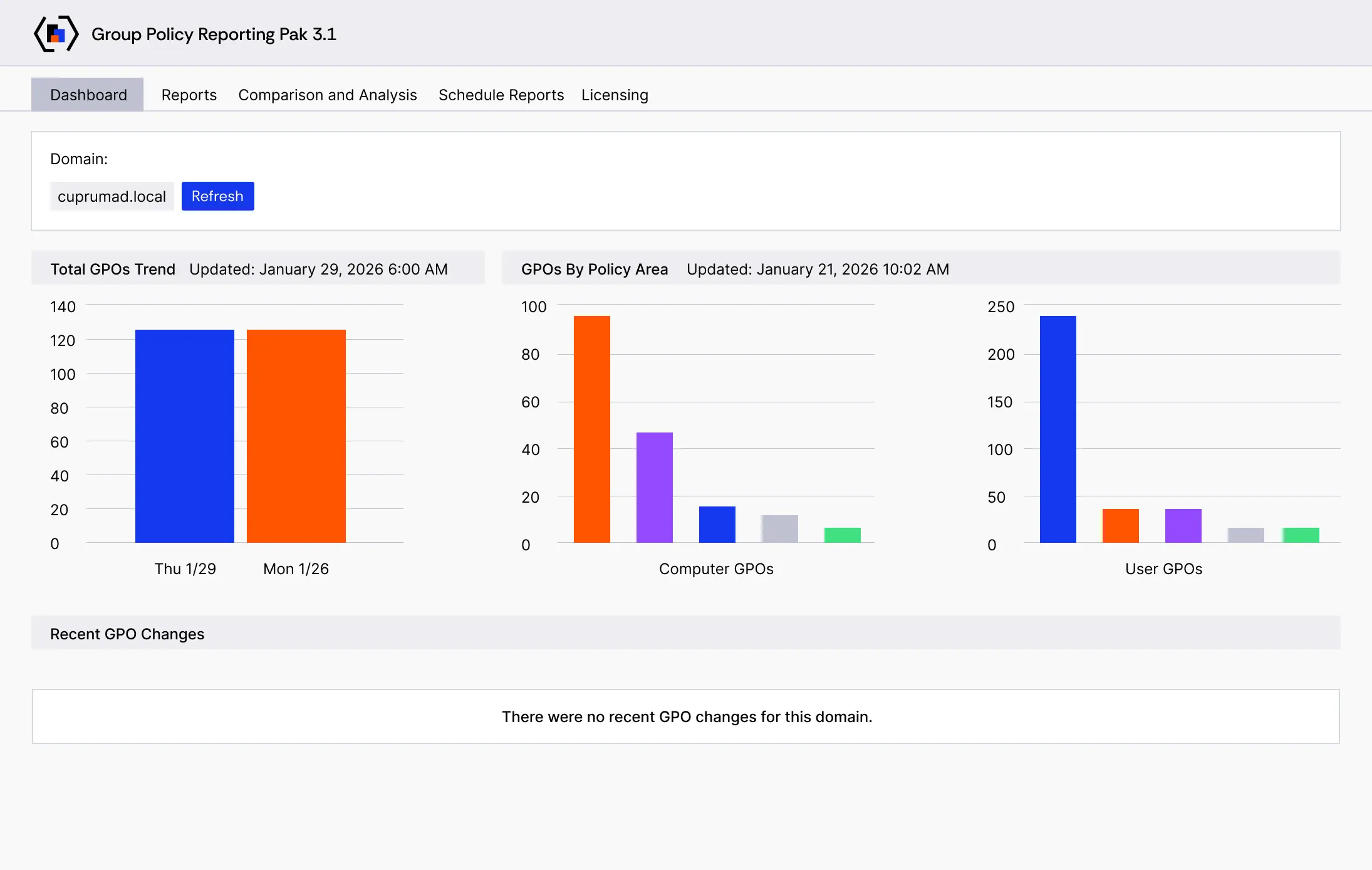
- Dashboard that shows key metrics on how Group Policy is being used in your environment
- Nearly 40 in-the-box reports that provide information on Group Policy health, best practices, optimization/cleanup, and security
- Report scheduling that allows any in-the-box reports to be delivered via email on a daily, weekly, or monthly basis
- Ability to compare settings in up to 4 GPOs, GPO backups, Reporting Pak snapshots, or GP Compliance Manager collections
- Ability to quickly compare settings between live and/or backup GPOs in the same or different domains/forests
- Settings details search across all GPOs
- Domain-wide analysis of GPOs, including an “OU view” that shows all settings and security or WMI filters that apply to a given OU, as well as real-time conflicting and duplicate settings analysis, and the ability to generate Reporting Pak snapshots from the analysis view
- Support for all settings in Windows® 10 or 11, Windows® Server 2016, 2019, 2022, and 2025
- PowerShell interface to perform GPO comparisons and inventory from the command line for quick bulk operations.
Request a Trial
"*" indicates required fields
Request a Quote
"*" indicates required fields
Request a Demo
"*" indicates required fields