



Group Policy (GP) has served the needs of Active Directory-based enterprises for more than 25 years. For so many admins, GP is familiar, predictable, and mature. However, as organizations embrace cloud computing and move away from traditional on-premises management tools, many are adopting cloud-first device-management platforms such as Microsoft Intune. For teams accustomed to GP, Intune can be a broader and more complex platform to learn and manage.
Key Differences Between Group Policy and Intune
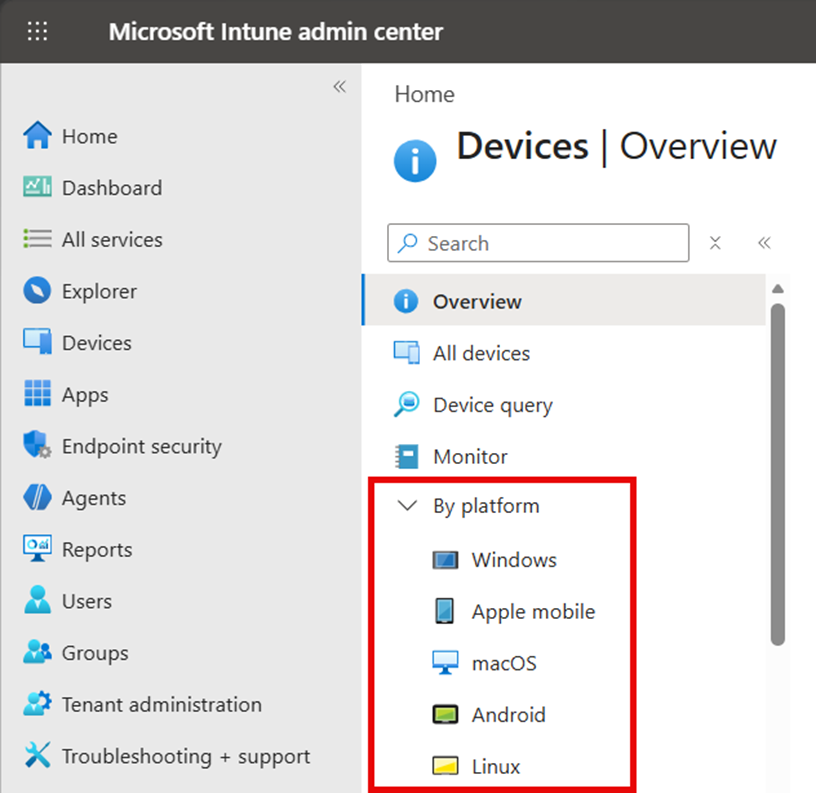
So, what’s so different about Intune? Well, for starters, Group Policy only supports the Windows platform, while Intune provides management capabilities for Windows, macOS, iOS, Android, and Linux, as shown in the screenshot below:
If you are an experienced Group Policy administrator, you may initially find Intune frustrating because it does not provide the immediate, predictable effect that GP often delivers. That’s because GP uses a centralized model in which domain controllers publish the latest policies and Active Directory–joined devices pull those policies frequently, depending upon their role. Updates are delivered within 90–120-minute cycles that are predictable and highly reliable. Admins can even force updates in between cycles using the gpupdate /force command from a given client.
You must be a little more patient with Intune. Intune configuration historically utilizes a sync cycle that can take up to 8 hours and is based on the OMA-DM protocol. Inherent limitations make this challenging in many ways. There are new capabilities to improve the refresh cycle for certain workloads. It is expected that over time the new protocol (MMP C) will consume more workloads. Intune’s update cycles are still challenged with performance, predictability, and ultimately scale. Admins can trigger device sync and should keep up with changes from the Microsoft Intune engineering team to understand differences in sync performance across workloads.
Seeking centralized configuration governance across Group Policy and Intune?
Broader Capabilities Increase Complexity
When we say Intune is more complex than Group Policy, we do not necessarily mean it is more difficult to use. The added complexity comes from Intune’s broader scope and responsibilities.
GP is primarily known for delivering configuration settings to Active Directory–joined Windows devices, although it can also support functions such as software deployment, startup and logon scripts, and Windows Update management.
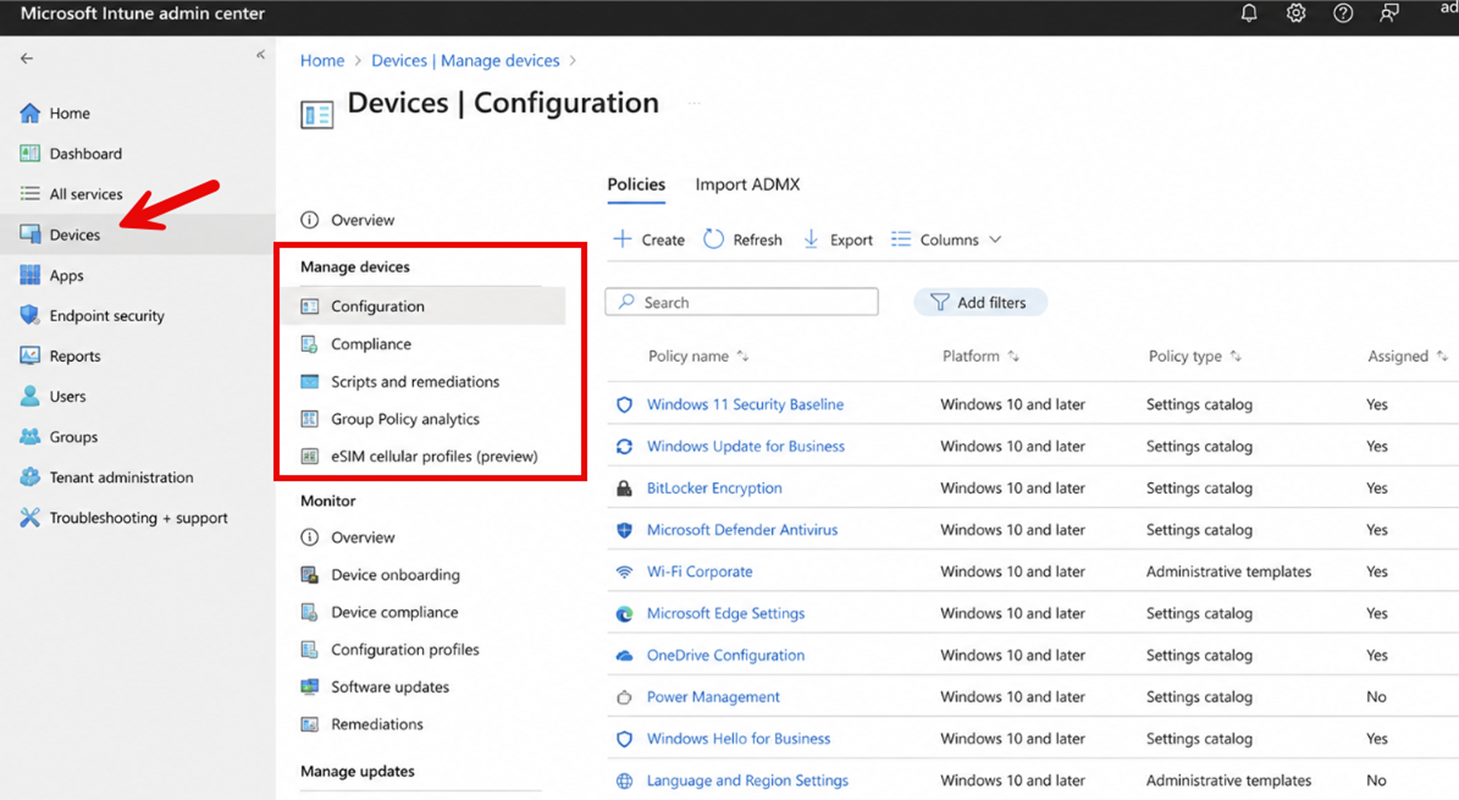
Microsoft Intune, by comparison, is a more comprehensive endpoint-management platform. In addition to configuration policies (Device Configuration Policies), it can manage device compliance (Device Compliance Policies), support Conditional Access decisions (Conditional Access Policies), script remediation (Scripts and Remediations), deploy and manage applications, perform remote device actions, and even configure cellular and eSIM profiles. The result is not simply a cloud-based replacement for Group Policy, but a platform that brings together multiple areas of device management under a single service, as shown below.
To add to this complexity, not every Intune administrator sees the same features at the same time. Because Intune is a cloud service, Microsoft rolls out service updates gradually rather than enabling every new capability for all tenants simultaneously. Commercial tenants generally receive new capabilities before government cloud environments, while features for high security tenants may arrive later or not be supported at all. This means that documentation, blog posts, screenshots, and even guidance from another organization may describe an Intune feature that has not yet appeared in their own tenant.
Learn more about how to improve your Intune configuration state
Complexity of Intune Device Configuration Policies
Windows administrators use Intune configuration profiles to deploy a wide range of device settings. Administrators familiar with Group Policy Administrative Templates will find that Intune offers a much broader set of configuration options beyond traditional Windows policy settings. Meanwhile, Intune offers a much narrower range of Windows configuration settings overall—missing key functionality such as Group Policy Preferences.
Download GPP-to-Intune Bridge Free Tool
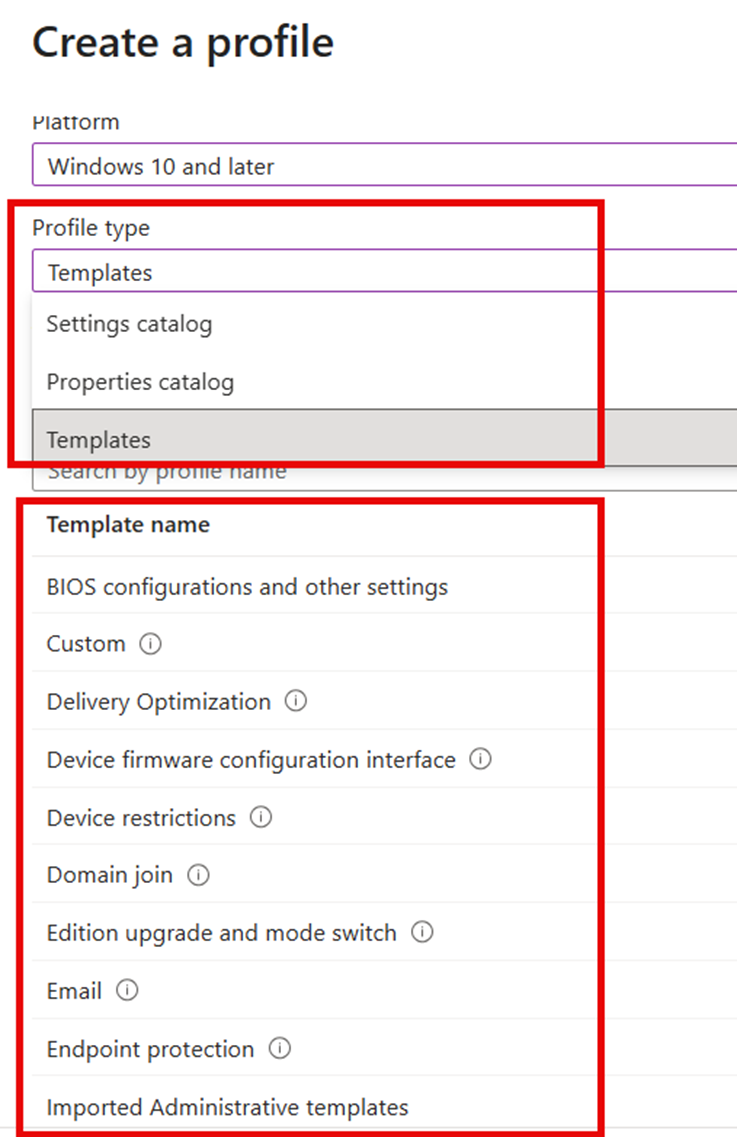
When creating a configuration profile, you first select the target platform. You then choose a profile type. For Windows devices, this may include the Settings Catalog, Properties Catalog, or one of many purpose-built profile templates. These templates address specific management areas, such as device restrictions, endpoint protection, identity protection, certificates, email, VPN, Wi-Fi, kiosk mode, and update management. Several of these profile types are shown in the screenshot below. However, these ‘templates’ are legacy in some ways. Over time, Settings Catalog will consume all settings, as these older capabilities require significant engineering and testing.
Not Always Point and Click
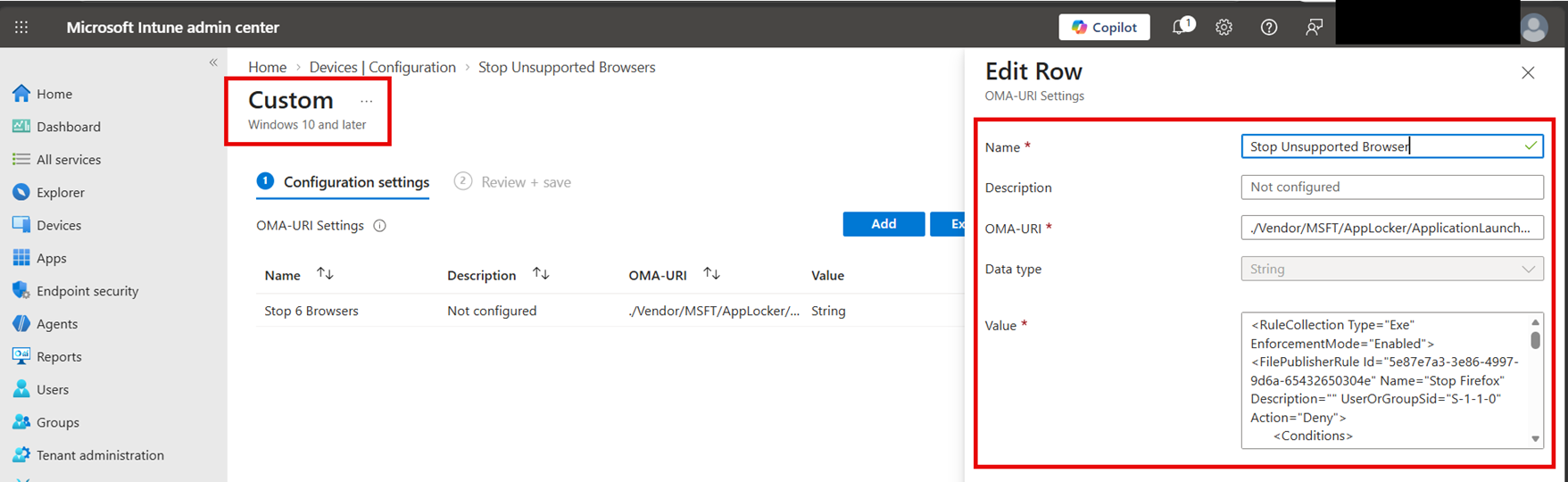
Intune utilizes something called a Configuration Service Provider (CSP) within the Windows platform that lets Intune or any other MDM read, write, and enforce configuration settings on a device. Microsoft regularly adds new CSP settings and capabilities to Windows, but those settings do not always appear immediately in the Intune Settings Catalog.
When a supported setting is not available through the Intune user interface, administrators can create a custom configuration profile and configure the underlying CSP directly. This requires the exact, case-sensitive OMA-URI path, the correct data type, and the required value as shown in the screenshot below.
Compared to Group Policy, which gives you every setting in a point‑and‑click UI, Intune can once again seem far more complicated than its AD-based predecessor.
For new configurations, Microsoft has recently begun moving away from OMA-DM (CSP-based) to MMP C (MOF-based). This means you will start to see configurations that move data to clients via Declarative Documents, and the local Windows agent will ensure the configuration of the client is aligned with the Admin’s declared intent.
Conclusion
While there’s nothing harder about navigating the Intune admin console, it doesn’t take long to realize that Intune is a different beast than Group Policy. Its broader capabilities create more configuration possibilities, but they also introduce more dependencies, variables, and potential troubleshooting challenges that we will cover in upcoming blogs.
Request a Demo
"*" indicates required fields
Talk to the Configuration Expert
"*" indicates required fields