


Group Policy Compliance Manager
Ensure configuration governance and validate compliance, proving that the deployed policies are successfully applied on endpoints
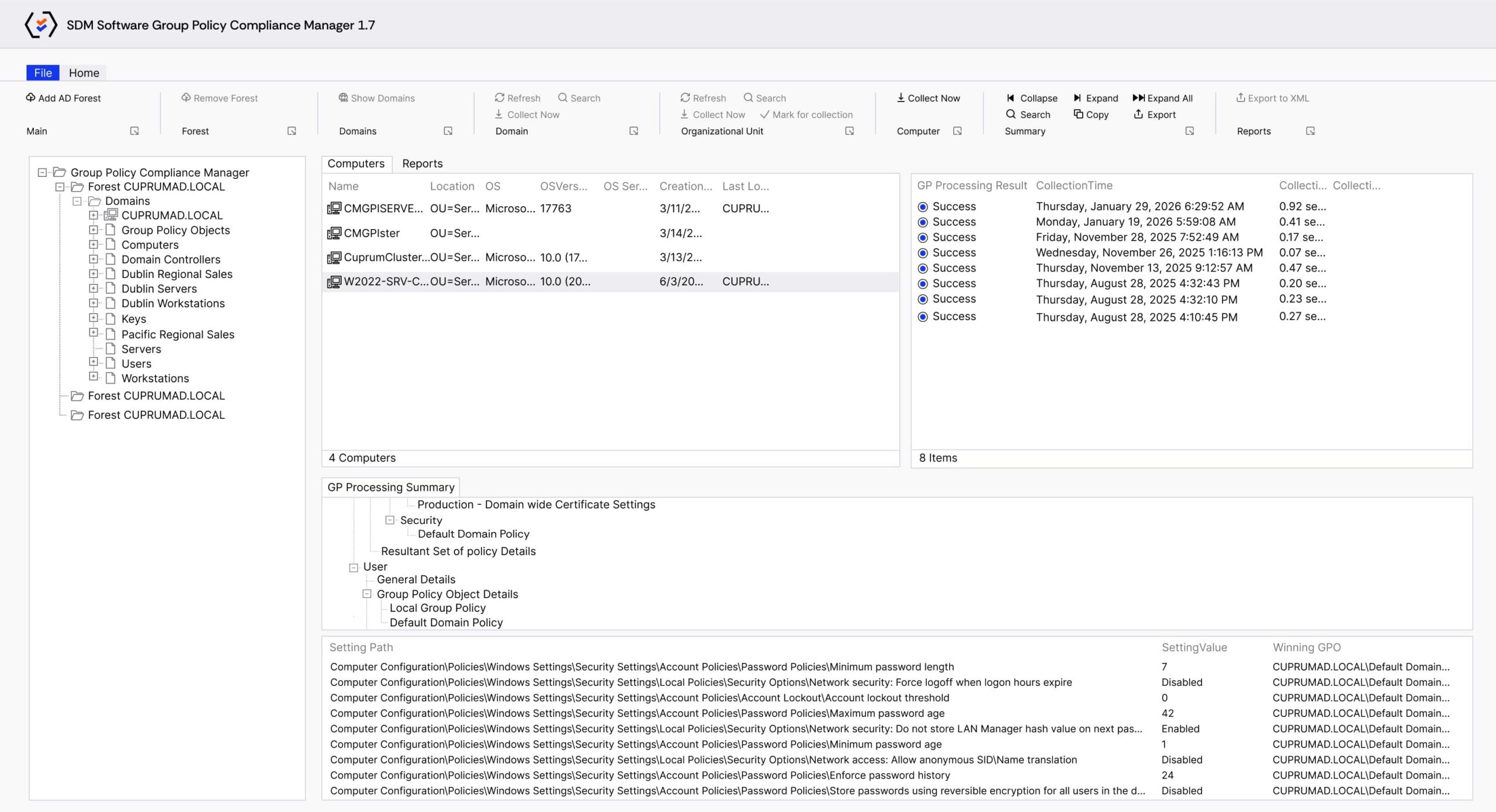
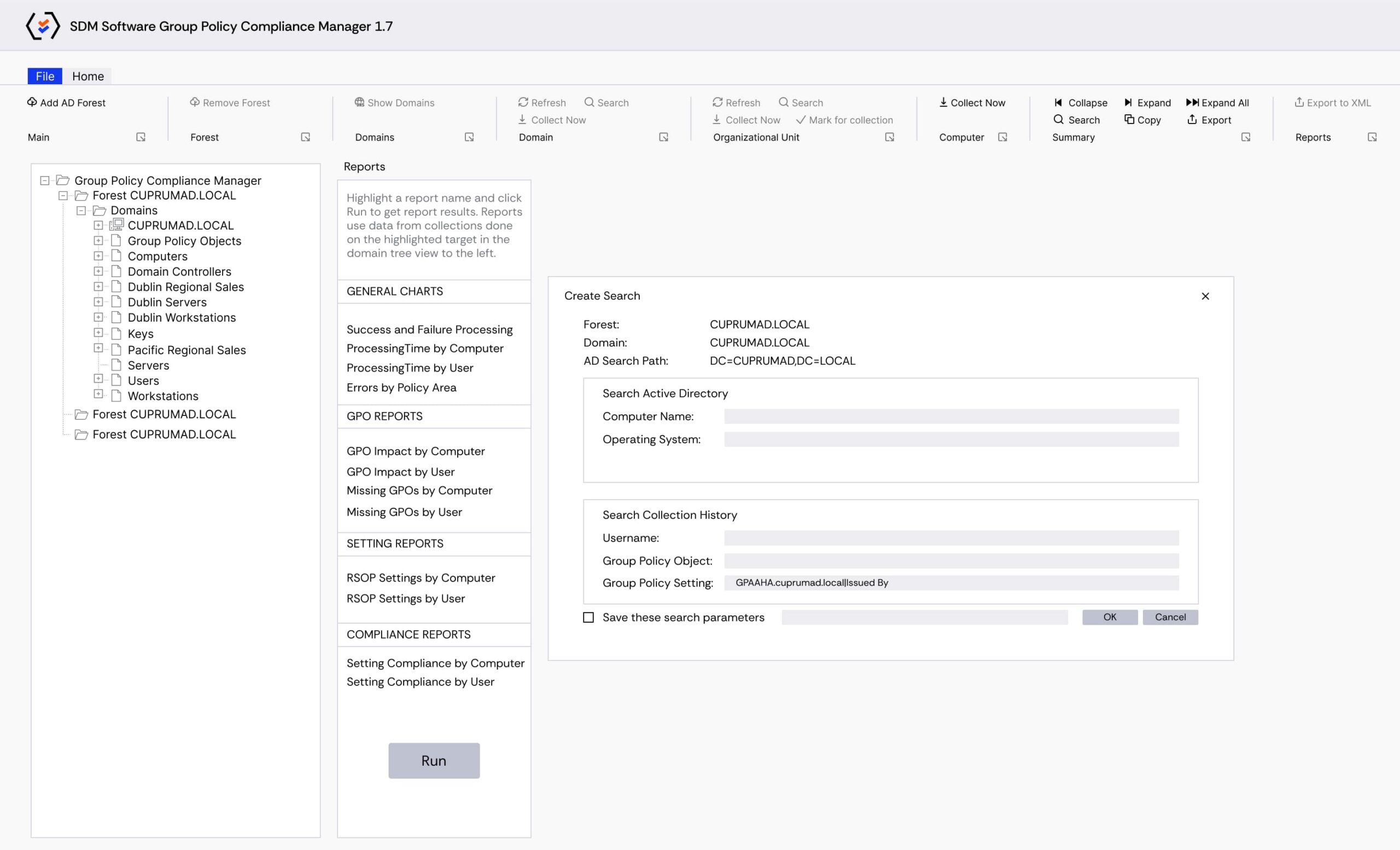
Security baselines, regulatory controls, and operational standards must be continuously verified on the systems to ensure security and compliance. Group Policy Compliance Manager provides automated validation that the intended configurations actually reach endpoints and continue to run as expected. This tool collects processing and settings data, stores it centrally, and allows for historical reporting, search, and export. Use roll-up reports to show compliance at the OU or domain level, drill down to individual machines or settings, and investigate processing errors and timing issues that can affect policy delivery. Delight auditors with the detailed information they need and prove compliance with HIPAA, SOX, GDPR, GLBA, PCI DSS with ease
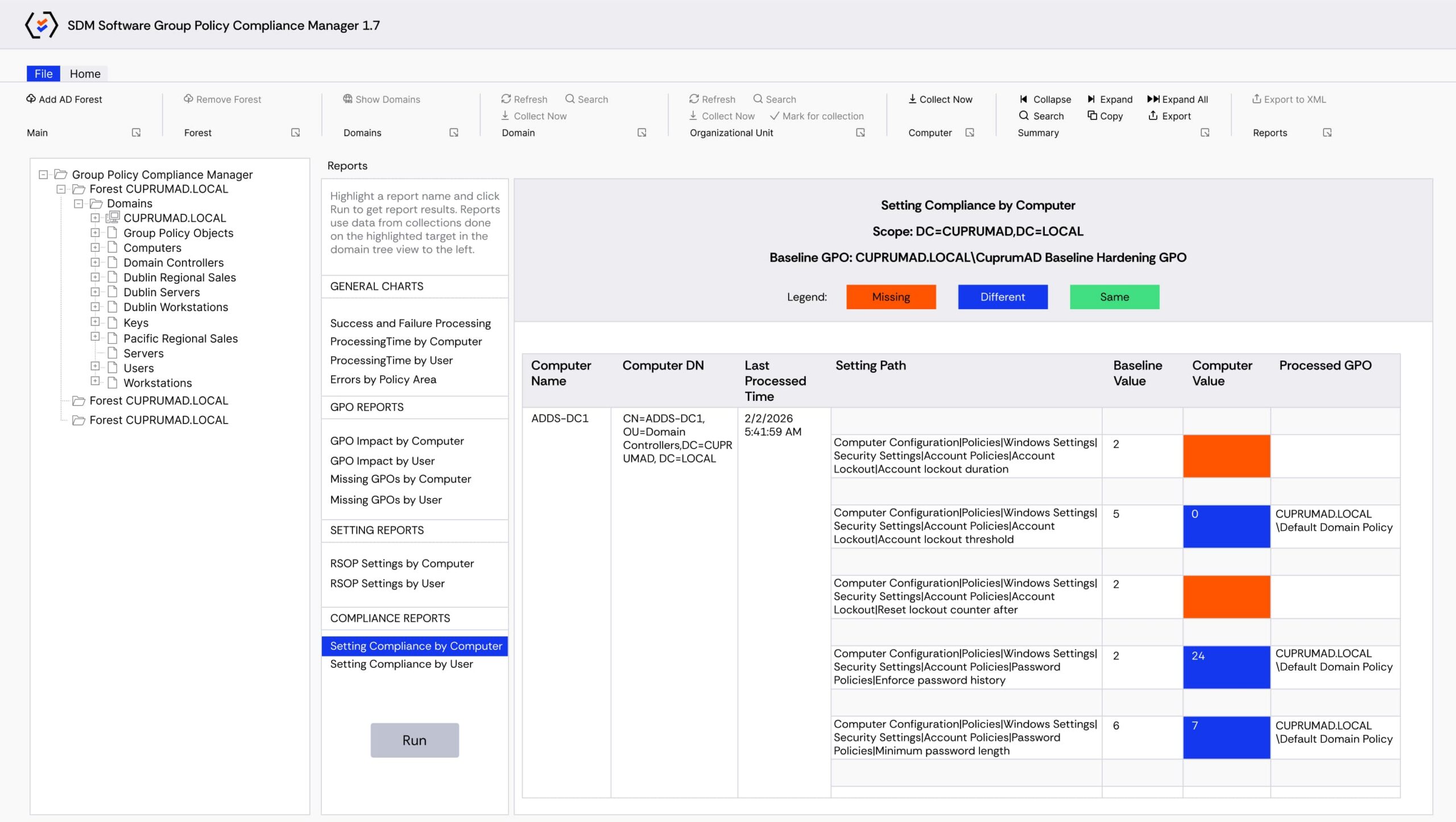
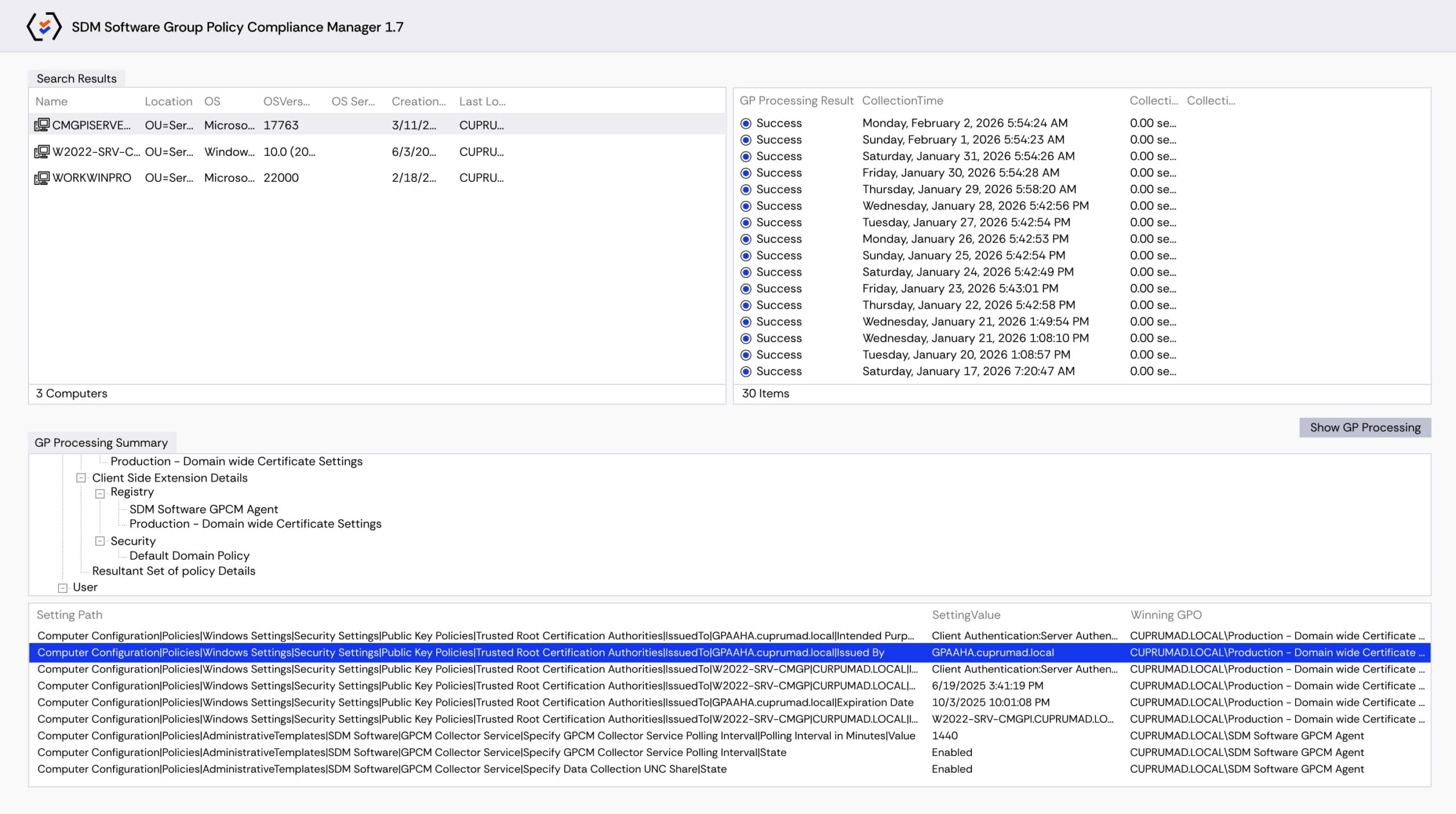
Group Policy Compliance Manager turns endpoint validation into actionable evidence so IT teams can fix configuration-delivery problems faster, demonstrate security compliance to auditors, and reduce the operational risk of missing or misapplied policies. Earn full visibility across your organization of what settings have been received, what impacts there may be around GPO changes, and what is missing (and why). With Group Policy Compliance Manager, you will:

Establish configuration governance
by validating that intended Group Policy settings are consistently enforced across the environment.
Prove compliance
and satisfy auditors with centralized, exportable reports that show which settings were applied and where.

Facilitate operational continuity
by surfacing missing settings, processing errors, and timing problems that affect policy delivery

Improve IT environment reliability
by monitoring Group Policy processing health across desktops and servers and prioritizing fixes where they matter most.
Recommended Solutions
If you are interested in Group Policy Compliance Manager, do you also…


FAQ
What is Group Policy Compliance Manager?
Group Policy Compliance Manager by SDM Software collects Group Policy processing and settings data from Windows desktops and servers, provides centralized historical reporting, and helps confirm that configurations are being applied to endpoints as intended.
How does data collection work?
Group Policy Compliance Manager supports agentless collection or optional agent-based collection. Data is stored locally or in a central SQL database for multiuser access and historical reporting.
Can Group Policy Compliance Manager show which configuration settings reached endpoints?
Yes. Group Policy Compliance Manager reports on confirmed and missing GPOs and provides processing health and timing data so you can see what was applied and why some settings may be absent.
What reporting and export options are available?
You can generate roll-up reports at OU or domain levels, export summaries to Excel, Word or PDF, and save frequently used searches and collections for repeatable reporting.
Can I automate queries and integrate Group Policy Compliance Manager with other tools?
Yes. Group Policy Compliance Manager includes a PowerShell module for command-line searching and reporting, enabling integration into automation and change-control workflows..
How quickly can I start collecting data?
The easy-to-use GUI lets you start collecting data in minutes and supports collection from a single machine to entire OUs or domains.
What are the main features of Group Policy Compliance Manager by SDM Software?
Change Manager for Group Policy/Intune has the following features:
- Centralized, historical reporting of Group Policy settings and security configuration across your entire environment
- Reports on Group Policy settings details, Group Policy processing times, and processing errors across an entire domain or individual OUs
- Agent-less or agent-based collection makes it easy to get up and running, regardless of the size of your environment
- Local or centralized SQL database stores data and makes it accessible to multiple users
- Powerful search to find GPOs and individual settings across the entire environment
- Roll-up reports to provide management-level detail around the compliance of Group Policy
- PowerShell module for searching and reporting on settings and compliance from the command line
Request a Trial
"*" indicates required fields
Request a Quote
"*" indicates required fields
Request a Demo
"*" indicates required fields